Table of Contents
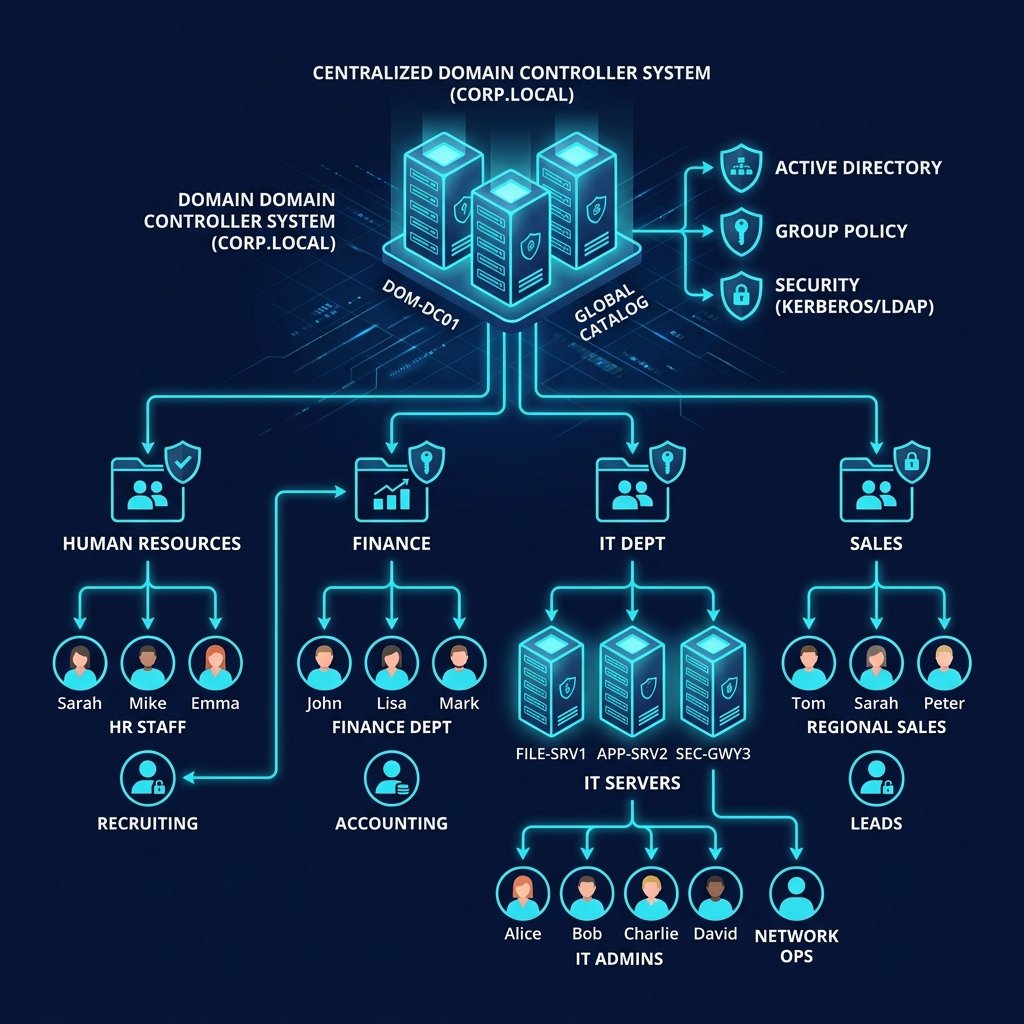
As businesses grow, managing employees, computers, printers, shared folders, and security manually becomes increasingly difficult. What starts as a small office with a few users can quickly become a complex IT environment with dozens or even hundreds of devices. Without a centralized management system, IT administrators spend more time resolving issues, resetting passwords, and configuring individual computers than focusing on strategic business goals.
This is where Microsoft Active Directory (AD) becomes essential. Active Directory is Microsoft's directory service that centralizes user authentication, device management, security policies, and access control across an organization's network.
1 Centralized User Management
Without Active Directory, every computer maintains its own local user accounts. Managing passwords, creating users, and assigning permissions on multiple computers becomes time-consuming and inconsistent. With Active Directory, administrators can manage the entire organization's identities from a single console.
Administrative Controls
- Create new employees in minutes
- Disable accounts instantly upon exit
- Reset passwords from single interface
- Role-based folder permissions
2 Improved Security with Group Policy (GPO)
Active Directory provides powerful built-in security controls. Administrators can enforce security policies across every Windows computer on the domain using Group Policy Objects (GPOs). Instead of configuring each computer individually, update one policy to secure everything.
3 Single Sign-On (SSO) & Easy Management
Active Directory allows users to sign in once using domain credentials to access file servers, Microsoft 365, internal apps, and shared printers seamlessly. It simplifies remote and hybrid workforce management and integrates with cloud systems.
| Feature | Workgroup Setup | Active Directory Domain |
|---|---|---|
| Password Management | Manual on every PC | Centralized password policy |
| Folder Permissions | Hard to manage | Security groups based |
| Cloud Integration | None | Sync with Azure AD / M365 |